The 7 Best Shopify SEO Apps 2026 (Tried & Tested)
If you want to get more organic traffic to your Shopify store (why wouldn’t you as it is one of the best-converting traffic sources!) then installing the right app can help with this.
But and this is a big BUT an app alone isn’t going to make you magically rank number 1 on Google!
This is because things like keyword research, creating great content and building backlinks are all very important aspects of SEO and require more than an app
This is why, if you are new to SEO, then I do recommend checking out our full Shopify SEO Guide & Checklist as this will help you understand more about SEO.
Best Shopify SEO App

Tiny IMG came out on top in our testing due to it:
- Having a good selection of features
- Having an easy-to-use interface
- Being reasonably priced
It offers a good overall package that has a good focus on on-site SEO aspects for Shopify stores and was the one we liked the most.
EcommerceGold is reader supported and we may earn a commission from products or services purchased through links on our site at no additional cost to you, to learn more please see our affiliate disclosure.
| App | Pricing (Monthly) | Rating | |
|---|---|---|---|
| $0 – $49 | 4.6 / 5 | Try App → |
 | $0 – $59 | 4.5 / 5 | Try App → |
 | $0 | 4.5 / 5 | Try App → |
 | $0 – $49.99 | 4.3 / 5 | Try App → |
 | $0 – $249 | 4.3 / 5 | Try App → |
 | $0 – $59 | 4.3 / 5 | Try App → |
 | $0 – $39.99 | 4.2 / 5 | Try App → |
Testing The Apps
Testing out SEO apps is challenging as without numerous active stores running these apps, it is very difficult to see how they perform over the long term, so using my experience of SEO, I looked at:
- The pricing
- The features they offer
- What they are like to use
I rated each of these out of 5 and then used this to come up with an overall score for the app and to be honest, most of the SEO apps I tried were pretty useless and coming up with a list of 7 options was actually quite challenging.
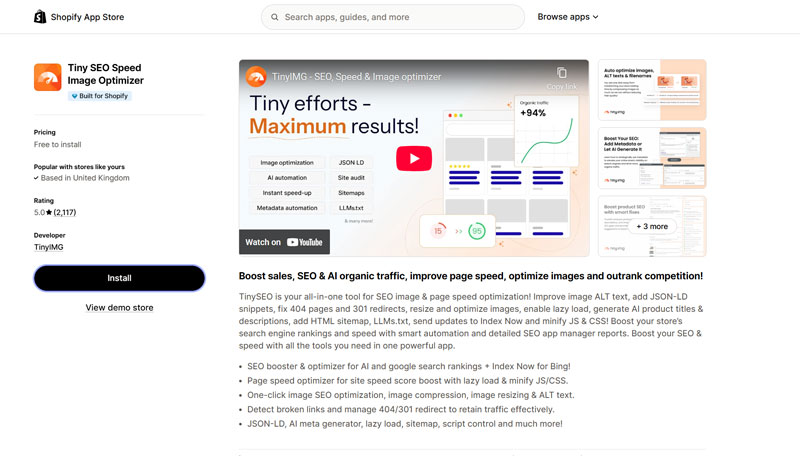
1. Tiny SEO, Speed & Image Optimizer – Best Overall

Rating:
4.6/5
Tiny SEO – Quick Summary
Tiny Img was the one Shopify SEO App that I was really impressed by, as I thought it offered a good set of features and was reasonably priced (they also didn’t ask for a review immediately after installing the app!).
Pricing – 4.5 / 5
| Free | Beginner | Advanced | Expert | |
|---|---|---|---|---|
| Cost | $0 | $14/month | $23/month | $49/month |
| Image Optimizations | 50/m | 1.500/m | 5,000/m | 15,000/m |
| AI Credits | 10/m | 100/m | 300/m | 1000/m |
Tiny SEO is very reasonably priced, especially when you look at all the features that you get.
I do like the free plan as it offers enough features to give you an idea as to whether the app is going to be a good fit for your store.
Features – 4.7 / 5
All the plans include the following core features:
- Speed Optimization – this includes image optimization, assest preloading, lossless image compression
- AI – this includes AI metadata generation, product descriptions and keyword suggestions
- Filename & Alt Text Optimization – makes filenames more search engine friendly and adds alt text to all images
If you are considering this app, then the Advanced plan would be the one that I would be looking at as it offers a selection of important SEO features, including:
- Schema – the app adds Schema (also known as structured data) to your store and this makes it easier to search engines to understand what your page is about
- Broken Link Checker – the app scans for broken links and puts in place 301 redirects so that your customers don’t land on a 404 not found page
- Speed Optimizations – these include lazy loading and CSS/JS minification to help make your pages load quicker
- Sitemap Manager – this allows you to hide pages from your sitemap by adding noindex and nofollow tags to these pages
- LLMs.txt – the app generates an LLMs.txt file that increases the chance of your site being discovered and cited by AI tools like ChatGPT and Gemini
Ease Of Use – 4.6 / 5
Tiny SEO is really easy to use and one thing I do like is that there isn’t an intrusive onboarding process (although there is a setup guide you can go through if you want).
The dashboard is also nice and clean, making it easy to navigate and the pages for all of the different features are well laid out, with many including FAQ sections to help you learn more about what that feature does.
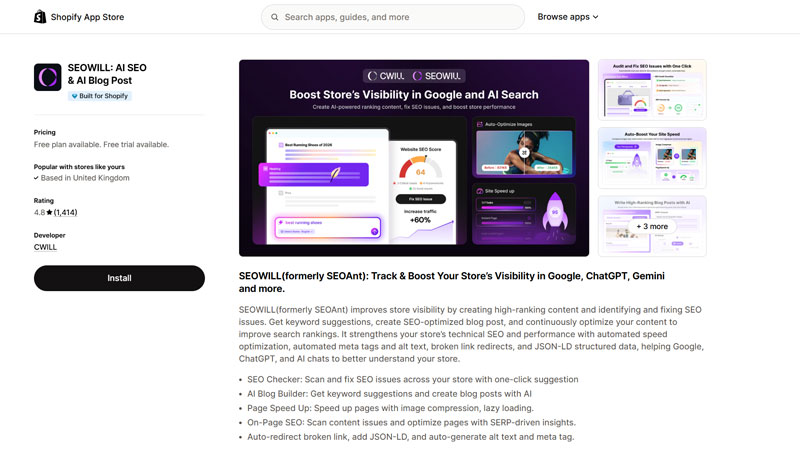
2. SEOWILL – Best For AI Integration
Rating:
4.5/5
SEOWILL – Quick Summary
SEOWILL (formerly SEOAnt) has become a really well-rounded SEO app that offers a large number of features that are really useful for optimizing your store.
They lean heavily into AI integration, which will make it an ideal option for many stores.
Pricing – 4.5 / 5
| Free | Pro | Premium | |
|---|---|---|---|
| Monthly Cost | $0 | $29.99 | $59.99 |
| Image Optimizations | 50/m | 2,000/m | 6,000/m |
| AI Blog Credits | 30 | 200 | 500 |
Along with the allocations, the two paid plans also include additional features that include more in-depth SEO tools.
They also offer a 7-day free trial of their paid plans.
Features – 4.6 / 5
The core features that are available on every plan include:
- SEO Scanner – this scans your site to check for things like missing alt tags and meta descriptions, it also offers a page breakdown to see how well pages are optimized for target keywords
- HTML Sitemap Generator – build a custom sitemap for your store
- Keyword Research Tool – do basic keyword research directly on your site
- Broken link checker – scans your site for any broken redirects and also lets you set up manual ones
- Speed and image optimization – optimize your images and pages for better performance (good for SEO and user experience)
They also offer AI blog generation, keyword research and a link-building tool (don’t know how good the links are and would recommend doing your own link building), which are all useful add-ons but with any AI generator, it is always best to edit these before publishing them.
On the paid plans, you also get some really useful additional features, including:
- Structured Data (JSON-LD) – also known as schema, this helps search engines understand what your pages are about and who created them
- Advanced Performance Optimization – this includes things like lazy loading for images and videos and code optimization to help your store load faster
- Keywords Tool – they offer a keyword tracker and competitor analysis along
Ease of Use – 4.6 / 5
The dashboard is really easy to use as it has been well designed to not only look good but also be easy to navigate.
Due to the amount of features that SEOWILL offers, it will take some time to go through all the settings and get it fine-tuned but one nice feature is that they include an FAQ on some pages to help you understand the page’s features in a more detail.
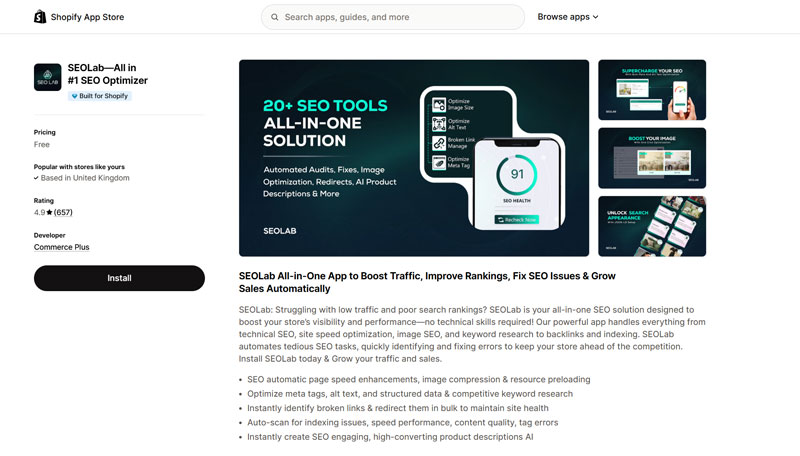
3. SEOLab – Best Free App
Rating:
4.5/5
SEOLab – Quick Summary
SEOLab is the best free Shopify SEO app out there and it is quite surprising that it is free.
It comes with a good selection of features and is easy to use.
Pricing – 5 / 5
It is free.
But I did speak to the support team and they informed me that they will be implementing paid tiers in the future and we will update this post once they have been announced.
Features – 4.3 / 5
SEOLab is one of the newer SEO apps on the list but offer a full suite of features with AI built-in to help you manage the optimization of your store.
So what features does SEOLab offer?
- Page optimization – a score is provided for each page and you can view the recommendations for each page, which shows things that can be improved
- Speed optimization – options for improving page speed and image optimization
- Search appearance – add structured data to your pages, including setting for local businesses
- LLMs.txt – add this file to your site to increase your chances of discovery and citation by Ai tools
Ease of Use – 4.4 / 5
The dashboard has also been well designed, is easy to use and the on-boarding process is very straightforward.
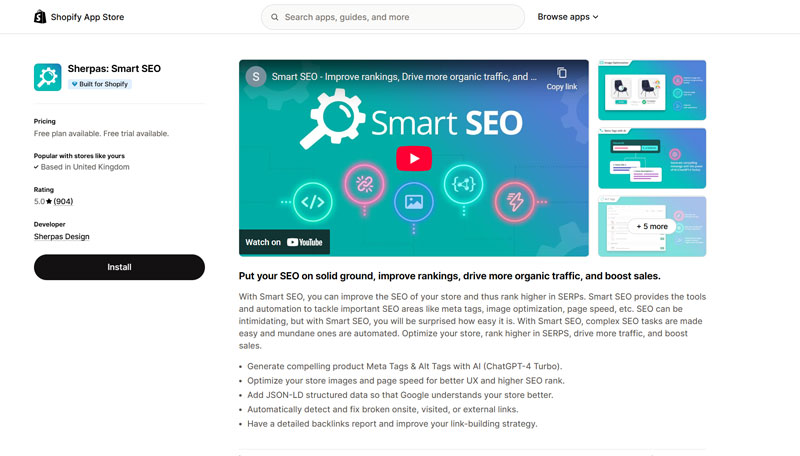
4. Sherpas: Smart SEO
Rating:
4.3/5
Sherpas: Smart SEO – Quick Summary
Smart SEO is a solid SEO app that offers a decent selection of features and is pretty easy to use.
Pricing – 4.5 / 5
| Free | Pro | Business | Premium | |
|---|---|---|---|---|
| Monthly Cost | $0 | $14.99 | $24.99 | $49.99 |
| Image Optimizations | 50/m | 1,000/m | 3,000 | 5,000/m |
| AI Generations | 20 | 200 | 500 | 1,200 |
As you move up to the bigger paid plans, you do get more features, with the business plan adding a lot of AI optimization options.
The free plan is good for giving you an idea as to what the app offers but they also offer a 7-day free trial for the paid plans, if you want to try out the premium features.
Features – 4.4 / 5
The Smart SEO app by Sherpas Design did impress us as it offered a lot of really useful features that are beneficial to your store’s SEO, including:
- Image and Page speed optimization – optimize images and activate instant page with the click of a button
- AI-generated meta-descriptions – use ChatGPT to create custom and unique meta-descriptions based on keywords and tone
- Add structured data to your store – help search engines understand your site’s pages by adding structured data to them
The app is also easy to use and the AI-powered meta-description generator worked really well, one of the things I did like about this app was some of the tools around backlinks as it includes:
- Broken link detection, both internal and external – check for any broken links, both internally and if you are linking to any broken pages
- Backlinks Checker – this is available on the more expensive plans but it shows you a list of all the sites linking to your store.
Another feature allows you to manage your sitemap and choose to no index certain pages if you connect your store to Google Search Console via the app.
Ease of Use 4.2 / 5
The app is pretty easy to use and the dashboard is well-designed, although I do think that some of the navigation pages could be improved as the current look is a bit bland (maybe I’m nitpicking).
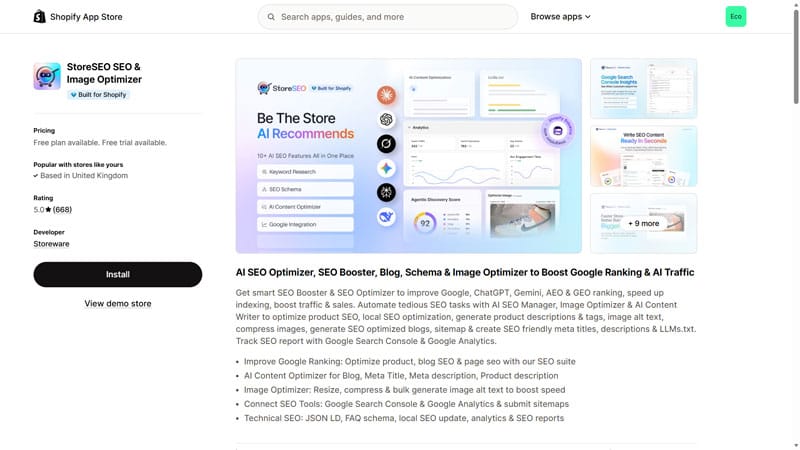
5. StoreSEO
Rating:
4.3/5
StoreSEO – Quick Summary
StoreSEO offers a good set of features but is almost too AI-heavy in terms of onboarding and optimizations for your store.
It also has a very large jump in pricing, which means it might not be a financially viable option for many stores.
Pricing – 4.2 / 5
| Free | Lite | Essential | Advanced | |
|---|---|---|---|---|
| Monthly Cost | $0 | $14.99 | $39.99 | $249.99 |
| Product Optimizations | 25 | 100 | 250 | 10,000 |
| AI Credits | 200 | 1,000 | 5,000 | 50,000 |
The pricing is pretty reasonable but there is a big jump between the Essential and Advanced plans in terms of price, which makes it a pretty expensive option if you have 251 products!
Features – 4.5 / 5
StoreSEO comes with a really good set of features, even on the free plan that include:
- JSON-LD – for all types of pages you will have on your store, most can be enabled with the click of a button
- Keyword Analytics – track how well your keywords are performing
- Sitemaps – customizable sitemap that allows you to index or noindex pages on your site
- URL Redirection – add custom redirects to all page types, they even include a redirect tool for out of stock products
If you choose one of the paid plans, you get some additional features that includes:
- AI Generators – these include a snippet and product description generator along with an AI blog writing tool
- Search Console & Analytics Integration
- Multilingual SEO – optimize your product pages, FAQs and AI Snippets across multiple languages
Ease of Use – 4.2 / 5
I didn’t really like the onboarding as you are greeted by an AI bot that does a quick analysis of your store, which is fine but I didn’t like that it was to automatically try and fix all the issues and the only way to skip it, was to go into the subscription settings and choose a plan in order to access the dashboard.
Once I got past this little roadblock, I found the dashboard is well designed and easy to navigate, with some pages have a nice step-by-step guide when you go on them for the first time, which is a nice touch.
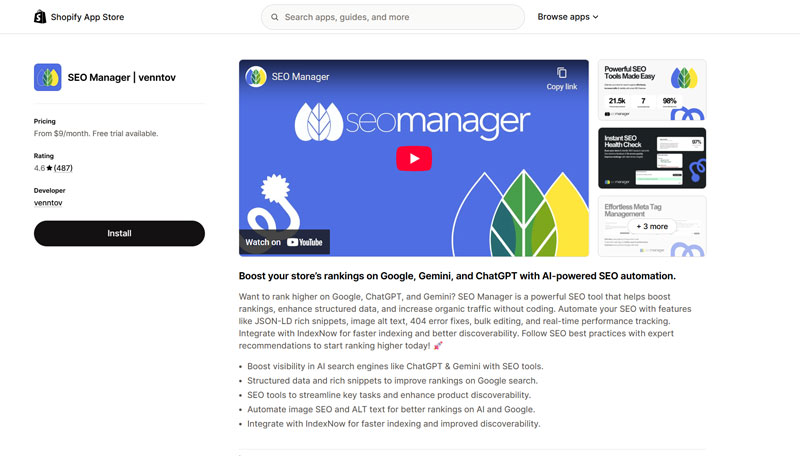
6. SEO Manager by Venntov
Rating:
4.3/5
SEO Manager – Quick Summary
The app is very SEO focused without relying heavily on AI to automate many different tasks.
It also has a steep learning curve and might not be the ideal option for someone new to Shopify SEO.
Pricing – 4.5 / 5
| Starter | Essential | Professional | |
|---|---|---|---|
| Monthly Cost | $9 | $29 | $59 |
What makes SEO Manager different from the other apps is that they don’t include quotas for things like image optimizations or AI credits, instead, the pricing is based around the features that you get.
Features – 4.6 / 5
SEO Manager was another app that we felt focused on the important parts of SEO that can actually help your store and some of the features we liked included:
- Schema/Structured Data – you can choose which schema you want enabled and it also integrates with nearly all of the main review apps
- Broken Link Checker & Redirect – the app scans your site for broken links and you can then manually add a redirect, plus you can set up an auto-redirect for any broken links
- Readability Tool – a unique tool that allows you to input content, it could be for your product descriptions or blog posts and it gives you a readability score
But where SEO Managers strength truly lies is in the on-page SEO ability that the app offers and we haven’t tried another app that comes close as it allows you to check the SEO of all of your site’s pages individually and there are many options, including:
- Setting a target keyword for that page – it will check for this keyword in the title and meta description
- Ability to enter/edit the title and meta description
- On-page description reading level – this basically tells you how easy/difficult it is to read the description based on the US grade system
- Image alt tag
- Tests – you can test the page in Google PageSpeed Insights, Mobile Checker and Rich Snippet tool all with the click of a button
- Sitemap management – choose whether the page is included with your sitemap and whether you want the page indexed or not
Ease of Use – 4.0 / 5
The apps is well designed and the dashboard is pretty easy to use but the app does have quite a steep learning curve and to get the most out of the app, it is best if you have a good base knowledge of SEO as it might be a bit overwhelming/confusing if you are brand new to Shopify SEO.
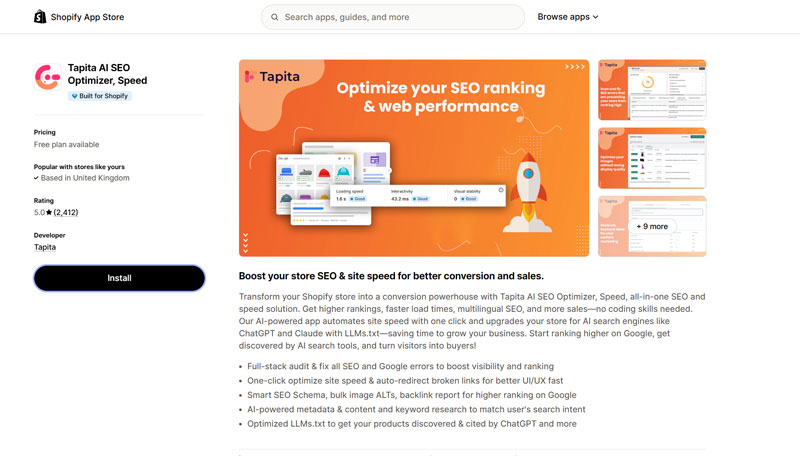
7. Tapita AI SEO Optimizer
Rating:
4.2/5
Tapita AI SEO – Quick Summary
Tapita isn’t a bad app but the biggest negative is the pricing as the plan-specific additional costs make it one of the most expensive options and you don’t get as many features as some of the other apps that I have listed.
Pricing – 4.0 / 5
| Free | Basic | Pro | |
|---|---|---|---|
| Monthly Cost | $0 | $9.99 | $39.99 |
| Image Optimizations | 30/day | 100/day | 300/day |
| AI Metadata | Unknown | 100/m | 500/m |
One thing I don’t like about the Tapita pricing is that they add an additional monthly charge depending on which Shopify plan you are on:
- $5/m for the Grow Plan
- $30/m for the Advanced Plan
- $60/m for Shopify Plus
Features – 4.4 / 5
But what features does Tapita offer?
- Site Audit – scan all of your sites pages to see if there are any issues regarding SEO basics
- SEO Booster – a range of tools that include adding structured data, meta title/description optimization and on paid plans, this includes broken link checker and keyword research tool
- Speed Booster – a range of tools that help your site load faster and improve user experience
- LLMs.txt – optimize your site for LLMs such as ChatGPT and Gemini to help your site get discovered and cited by these AI tools
There is a good selection of tools but we did find the on-page audit and optimization suggestions to be quite basic and not as detailed as some of the other apps but the app is easy to use and the AI assistant in the app can be helpful.
Ease of Use – 4.2 / 5
The onboarding with Tapita is pretty easy, although I did have some issues when setting it up which meant I had to uninstall the app to try it again but once I had got that sorted, I found the dashboard to be well designed and easy to navigate.
Conclusion
Choosing an SEO App for Shopify can be daunting as there are many different options and many offer all of these amazing features but you need tools that are going to help your site and we think all the apps we have included will help your site’s SEO.
Overall, Tiny IMG did come out on top in our testing due to it:
- Having a good selection of features
- Having an easy to use interface
- Being reasonably priced
And combining this with a good product review app will give your store an SEO boost.
But one again, an SEO app alone won’t get you to the top of Google! There are many other factors, such as Keyword Research, Content and Backlinks that all play a huge role in the success of your SEO campaign.
Final note – avoid trying to many SEO apps on your live store as many of these insert code into your themes files and this might not be removed when you delete the app, which could cause potential problems in the future.

Hi, I'm Paul, the Owner and Founder of EcommerceGold.
I ran my own Ecommerce Business for over 7 years and now help others start their own online retail empires!